How to Try 120+ AI Models Online Before You Pay for an API
Compare GPT, Claude, Gemini, DeepSeek, Qwen, Kimi and more in one place: live model directory with transparent per-token pricing, built-in workbenches, and an online playground that lets you test models before writing any code.
HeFu · Published 2026-11-147 min read
Choosing an LLM in 2026 is no longer a two-vendor decision. GPT-5.6, Claude Opus 5.5, Gemini 3.5, DeepSeek-V4, Qwen3.8-Max, Kimi K3, GLM-5.3 and MiniMax M3 each lead on different tasks — reasoning, coding, long context, multimodal understanding, or price. The practical question is not "which model is best" but "which model is best for my workload, at my volume, at what monthly cost". Answering that requires trying models side by side, and juggling a dozen official platforms to do it is wasteful. This guide walks through a faster path: one model directory, transparent pricing, and browser-based workbenches for supported models across multiple modalities, so you can shortlist in an afternoon instead of a quarter.
Start at the Model Directory, Not the Signup Page
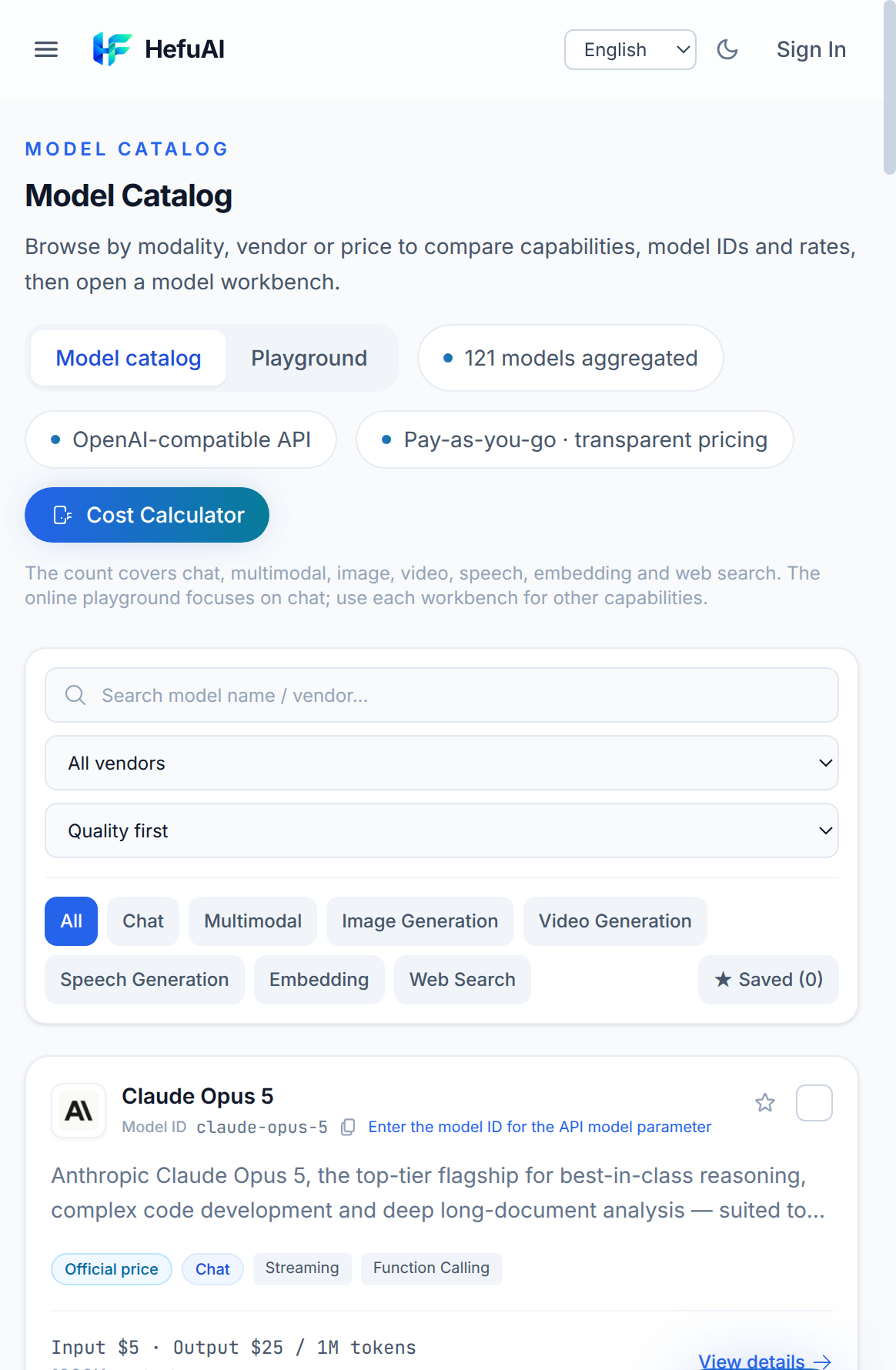
The model directory offers 120+ models from leading AI providers — OpenAI, Anthropic, Google, DeepSeek, Alibaba, Moonshot, Zhipu, MiniMax, ByteDance, Kuaishou, Vidu, xAI and more — behind one OpenAI-compatible API. Three things make it useful as a research tool before you write any code:
- Filter by capability, not just vendor. Categories cover chat, multimodal/vision, image generation, video generation, speech, embeddings and web-search models. Looking for a video model under a budget? Filter to video generation and sort by price.
- Every card shows the model ID and current platform price for the applicable pricing unit — per-token for chat models, per-image, per-second or per-request for media and search models — with specs such as context window shown where available. The model ID is exactly what you pass in the API's model parameter, so what you see is what you call. Sorting options include quality-first, vendor-first, price ascending/descending and low-latency.
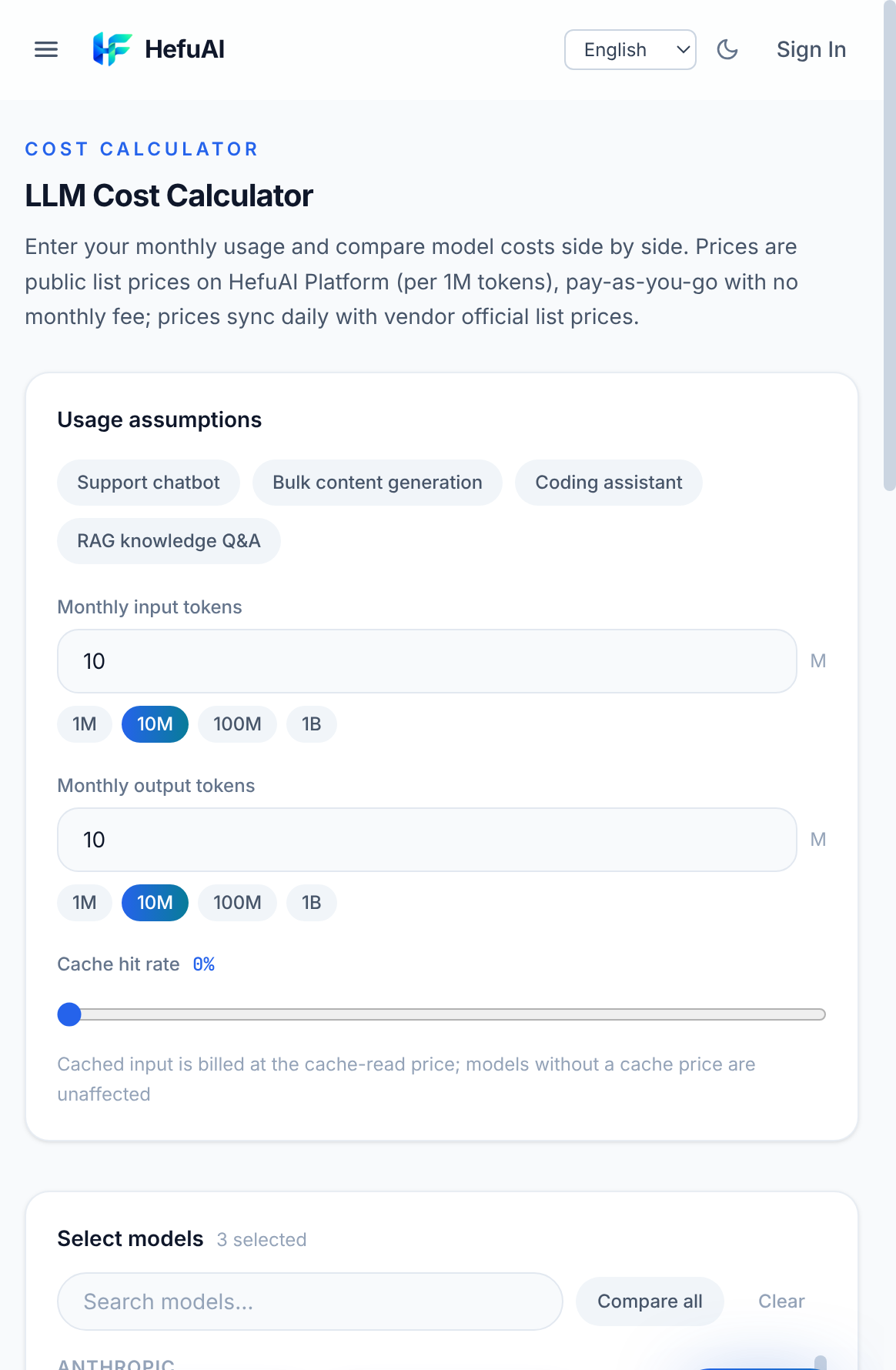
- A cost calculator for your real volume. Instead of comparing abstract per-token rates, the cost calculator turns your expected monthly token volume into a side-by-side estimate across candidate models.
Model Detail Pages: The Spec Sheet That Actually Answers Pricing Questions
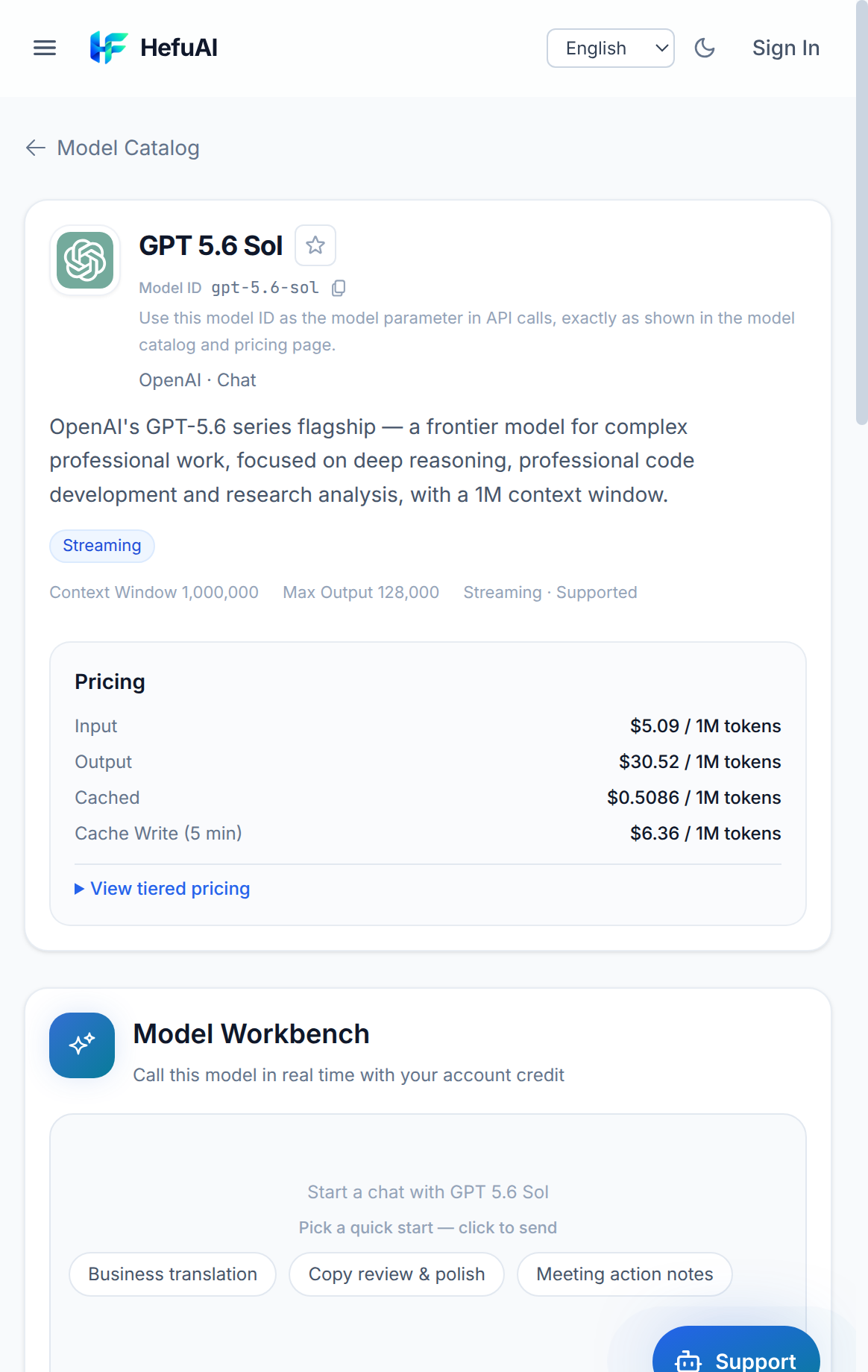
Click any model and you get a detail page that reads like a datasheet written for buyers, not marketers. Using GPT-5.6 Sol as an example, the page shows:
- Identity and specs — model ID, vendor, modality, context window (1,000,000 tokens) and max output (128,000 tokens).
- Full pricing mechanics — input, output, cache-read and cache-write rates per million tokens, plus tiered pricing that applies above 272K context. This is where hidden costs surface: a model that looks cheap at short context can double its input rate on long documents.
- A built-in workbench — a chat trial of that exact model. Depending on the model, the workbench supports quick prompts, streaming, web search, or reasoning controls. You test the real production model, not a demo watered down for marketing.
Every model in the directory has the same detail entry point — Claude Opus 5.5, DeepSeek-V4-Pro, Qwen3.8-Max and so on — with specs, pricing, and workbench shown per modality, so once you learn to read one page you can evaluate any model in minutes.
The Online Playground: Compare Models in One Conversation
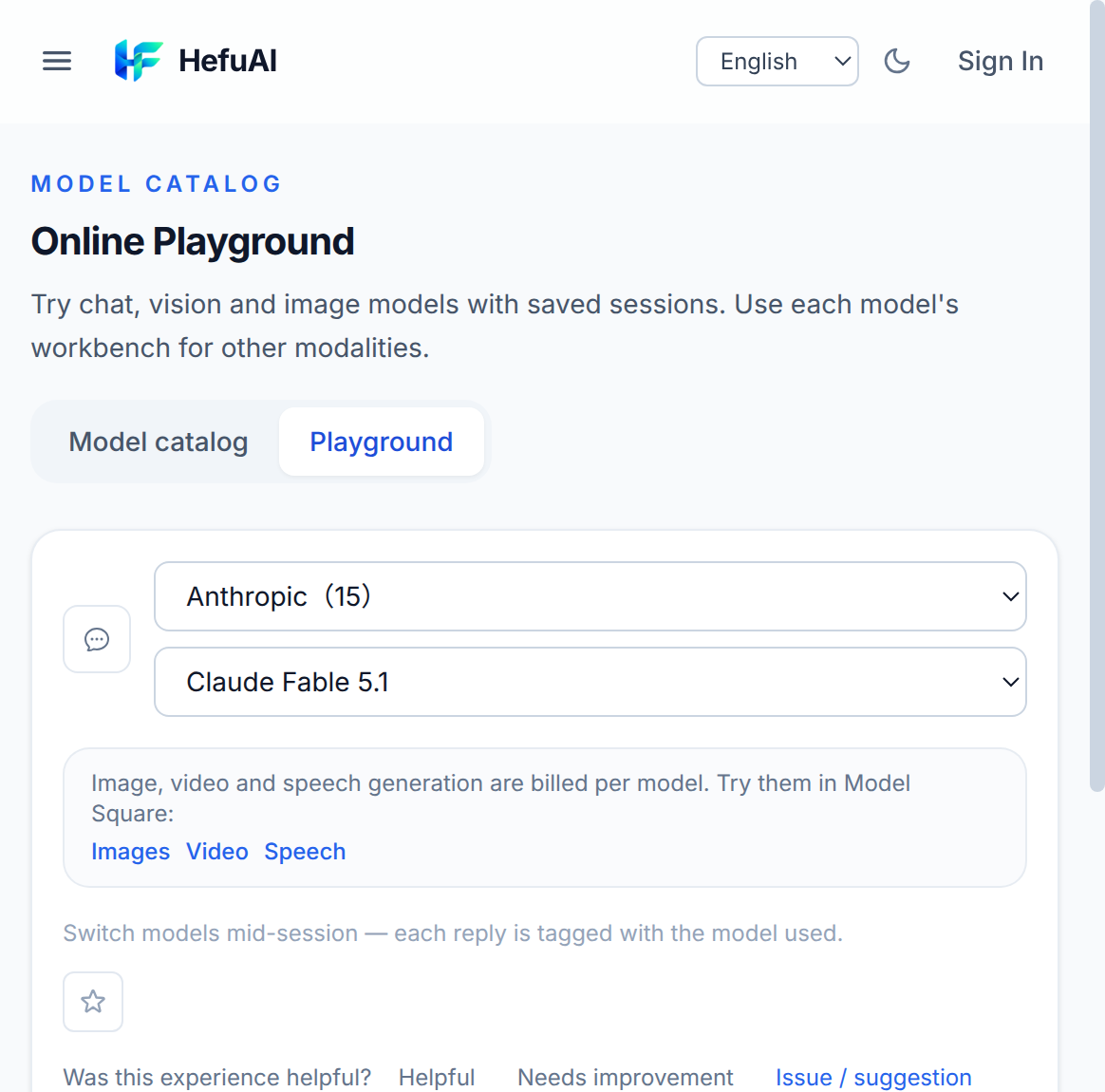
The online playground is where shortlisting gets practical. Pick a chat or vision model, run your actual prompt, then switch models mid-conversation and compare. Two details matter:
- Every reply is labeled with the selected model ID, so a conversation thread becomes a side-by-side record rather than a memory exercise.
- Quick-prompt presets and toggles (web search, deep thinking) mirror real usage patterns, letting you test how a model behaves with tools enabled, not just in bare Q&A.
Image, video and speech models have dedicated workbenches of their own — the directory routes you to the right surface for each modality.
From Trial to Integration Without Rewriting Anything
When a model earns its place, the path from trial to production is deliberately short:
- Create an API key in your account — the same account that ran the trials.
- Copy the synced code snippet. The detail page generates cURL and Python examples synced with your current prompt and parameters, so the request you tested is the request you deploy.
- Call the OpenAI-compatible endpoint with the model ID from the page. If you have existing OpenAI client code, pointing it at a new base URL and model ID is usually the entire migration.
For teams evaluating multiple finalists, this means the afternoon you spend in the playground produces both the shortlist and the integration starting point.

Who This Evaluation Flow Fits Best
- Developers choosing a primary model who want pricing mechanics (cache rates, long-context tiers) visible before the first API call.
- Teams in Hong Kong, Taiwan, Singapore, Malaysia and the Philippines who want mainstream models plus Chinese open models (DeepSeek, Qwen, Kimi, GLM, MiniMax) behind one endpoint and one bill — pay-as-you-go in USD, no overseas corporate card required.
- Product teams prototyping with multimodal features — image, video and speech models sit in the same directory and billing system as chat models, so a prototype does not turn into five vendor accounts.
FAQ
Can I test AI models online without an API key?
After signing in, you can try supported models without creating an API key. Calls are billed to the account balance; eligible new users may currently receive USD 1 in promotional credit, subject to campaign quota and risk-control rules. Each reply is labeled with the selected model ID, so you can compare outputs side by side.
How do I know which model is cheapest for my workload?
Every model detail page lists official per-token input/output pricing, cache rates, and tiered long-context surcharges. For a quick estimate across models, use the cost calculator: enter your expected token volume and compare monthly spend across GPT, Claude, Gemini, DeepSeek, Qwen, Kimi, GLM and MiniMax families.
Do the online trials use the same models as the API?
Yes. The playground and per-model workbenches call the same production endpoints as the API, using the same model IDs you would put in the model parameter — what you test is what you get when you integrate.
Can I switch models mid-conversation to compare answers?
Yes. Sessions in the playground support switching models mid-conversation, and each reply is labeled with the selected model ID. This makes A/B comparing reasoning styles, language quality and latency practical without maintaining multiple subscriptions.
What happens after I choose a model?
Create an API key from your account, then call the OpenAI-compatible endpoint with the model ID shown on the model page. Quick-start snippets in cURL and Python are synced with your playground prompts, so you can copy a working request directly into your project.
FAQ
Can I test AI models online without an API key?
After signing in, you can try supported models without creating an API key. Calls are billed to the account balance; eligible new users may currently receive USD 1 in promotional credit, subject to campaign quota and risk-control rules. Each reply is labeled with the selected model ID, so you can compare outputs side by side.
How do I know which model is cheapest for my workload?
Every model detail page lists official per-token input/output pricing, cache rates, and tiered long-context surcharges. For a quick estimate across models, use the cost calculator: enter your expected token volume and compare monthly spend across GPT, Claude, Gemini, DeepSeek, Qwen, Kimi, GLM and MiniMax families.
Do the online trials use the same models as the API?
Yes. The playground and per-model workbenches call the same production endpoints as the API, using the same model IDs you would put in the model parameter — what you test is what you get when you integrate.
Can I switch models mid-conversation to compare answers?
Yes. Sessions in the playground support switching models mid-conversation, and each reply is labeled with the selected model ID. This makes A/B comparing reasoning styles, language quality and latency practical without maintaining multiple subscriptions.
What happens after I choose a model?
Create an API key from your account, then call the OpenAI-compatible endpoint with the model ID shown on the model page. Quick-start snippets in cURL and Python are synced with your playground prompts, so you can copy a working request directly into your project.